Look Around · Sample Studio Mode

See Plans

New yap pick what you are making, add clips, make my yap

Browse style gallery →

Two sample clips are already in. Pick what you are making and your look. Nothing uploads from here.

Pick a template

Choose a starting format. Your footage, words and personality stay yours.

Real finished edit
2 clips · Easy3 to 5 minutesPropped phone or eye-level stand

Talking-head review

Say what you tried, what changed, and your honest verdict.

How Yapper edits: Cuts dead air, highlights the product when you mention it, and keeps your review natural and trustworthy.

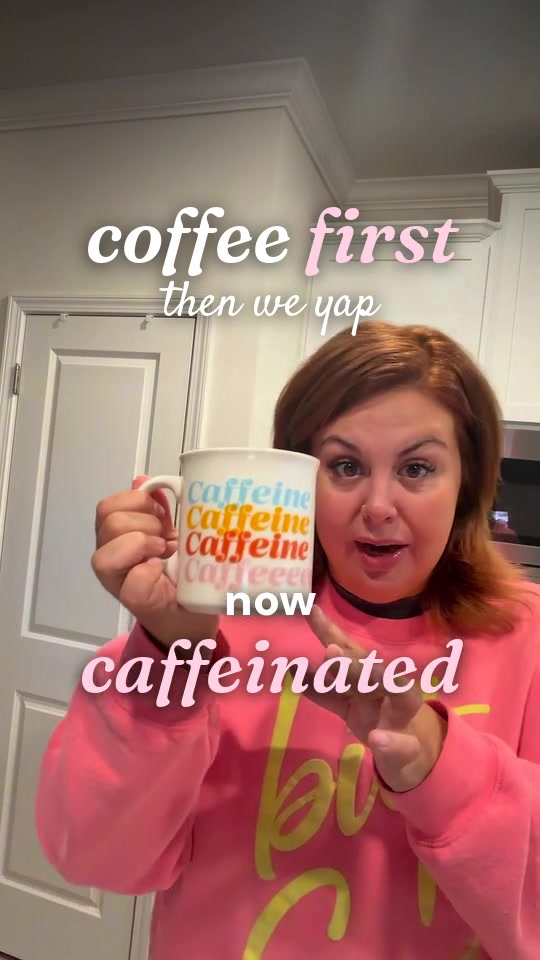
Actual finished video example. Adapts to your footage.
Walk & talk try-on style previewPoster preview
3 to 4 clips · Moderate5 to 8 minutesLow propped phone or floor tripod

Walk & talk try-on

Show the shoes moving while you explain fit, feel and details.

How Yapper edits: Pairs your walking action with speech audio, cuts between full outfit and close shoe angles seamlessly.

Poster preview. Guided filming checklist ready in studio.

Real finished edit
3 clips · Easy3 to 5 minutesHandheld phone or propped stand

Things that just make sense

One useful everyday thing, shown naturally in your real routine.

How Yapper edits: Stitches routine actions together, overlays clean captions, and highlights the everyday problem solved.

Actual finished video example. Adapts to your footage.
Lifestyle & Family

Real finished edit
3 to 6 clips · EasyThroughout the gameHandheld phone or table prop

Game Night

Turn real game clips and laughter into a fun highlight recap.

How Yapper edits: Detects funny moments, cuts dead space and pauses, and adds playful reaction bubbles while guarding faces.

Actual finished video example. Adapts to your footage.
Browse everyday starting formats (Storytime, GRWM, Routine)
Real finished edit
1 clip · Easy2 to 4 minutes

Storytime to camera

One take, you talking. The full edit on top.

How Yapper edits: Removes pauses, dead air, and filler breaths while keeping your natural voice clear.

Real finished edit
4 to 6 clips · EasyThroughout the day

Day in the life

Clips of the day with your voice over them.

How Yapper edits: Assembles clips in order, balances ambient sound, and places voiceover smoothly.

Real finished edit
3 to 5 clips · Moderate5 to 10 minutes

Get ready with me

Talk while you get ready. The routine is the picture.

How Yapper edits: Trims tedious makeup blending and waiting times while keeping your story and product applications aligned.

Real finished edit
3 to 5 clips · Moderate5 to 8 minutes

Step by step tutorial

Each step lands as you say it.

How Yapper edits: Identifies step transitions, places clear step badges on screen, and cuts pause times between moves.

Real finished edit
3 clips · Easy3 to 5 minutes

I tried this hack

The claim, the try, the verdict.

How Yapper edits: Creates an energetic opening hook with the viral claim, highlights the test, and lands on your honest verdict.

Real finished edit
3 to 4 clips · EasyMeal by meal

What I eat in a day

Every plate, your voice, a calm pace.

How Yapper edits: Smooth pacing across meals, calm rhythm, with recipe titles and your voiceover.

Browse TikTok Shop & Twin viral formats (Side-by-side, Bursts, Listicle)
Real finished edit
2 clips · Tripod requiredTikTok Shop

Side by Side

You play both characters, standing at the counter together.

e.g. "I'm a mini French cocotte." "And I'm a soup mug."

Choose shop format
Real finished edit
Multi-clip · EasyTikTok Shop

Talk + Product Clips

Your talking video is the main audio. Yapper lays product clips over your voice and can briefly use real product sound when it helps.

e.g. "This year I'm showing it who's boss." then three quick shots with the real sound.

Choose shop format
Real finished edit
Multi-clip · EasyTikTok Shop

Listicle

Number one, number two, number three.

e.g. "Three things I wish I knew before I bought one. Number one..."

Choose shop format
Browse fashion & beauty templates
One pair, three real plans style previewPoster preview
4 clips · Moderate6 to 10 minutesFloor prop or stand

One pair, three real plans

One pair. Three places I actually go.

How Yapper edits: Cycles through three complete looks with numbered occasion stickers and smooth transitions.

Poster preview. Guided filming checklist ready in studio.

The fit detail I check style previewPoster preview
3 clips · Easy4 to 6 minutesEye-level stand or dresser prop

The fit detail I check

Before I keep this, I check this detail.

How Yapper edits: Pairs fabric inspection with callout arrows and speech captions that never cover seams.

Poster preview. Guided filming checklist ready in studio.

Pack one outfit with me style previewPoster preview
3 clips · Easy4 to 6 minutesOverhead table prop

Pack one outfit with me

Here is what made it into my overnight bag.

How Yapper edits: Creates a calm packing checklist with item labels and your natural voiceover.

Poster preview. Guided filming checklist ready in studio.

Two shoes, one outfit style previewPoster preview
3 clips · Easy4 to 6 minutesFloor prop

Two shoes, one outfit

Same outfit. Which shoe would you choose?

How Yapper edits: Creates side-by-side comparison stills from your own footage with A/B labels.

Poster preview. Guided filming checklist ready in studio.

The honest first wear style previewPoster preview
3 clips · Easy4 to 6 minutesPropped phone

The honest first wear

First wear: what I noticed, and what I cannot tell yet.

How Yapper edits: Places a clear first-wear caveat card and highlights authentic initial impressions.

Poster preview. Guided filming checklist ready in studio.

Texture without the filter style previewPoster preview
2 clips · Easy2 to 4 minutesCountertop prop

Texture without the filter

Here is the texture in ordinary light.

How Yapper edits: Keeps continuous unedited texture view in natural light with clean minimal typography.

Poster preview. Guided filming checklist ready in studio.

What is in my routine today style previewPoster preview
3 to 4 clips · Moderate5 to 8 minutesVanity prop

What is in my routine today

My routine today: not a routine everyone needs.

How Yapper edits: Numbers each step in your actual sequence and cuts between products smoothly.

Poster preview. Guided filming checklist ready in studio.

The makeup-bag edit style previewPoster preview
3 clips · Easy3 to 5 minutesTable prop

The makeup-bag edit

Three things I actually reached for this week.

How Yapper edits: Overlays clean product labels and a simple three-dot tracker.

Poster preview. Guided filming checklist ready in studio.

One technique, two honest views style previewPoster preview
3 clips · Easy3 to 5 minutesVanity stand

One technique, two honest views

Here is the same application up close and at arm's length.

How Yapper edits: Shows equal-light close and normal distance views without exaggerated filters.

Poster preview. Guided filming checklist ready in studio.

The label-to-use walkthrough style previewPoster preview
3 clips · Easy3 to 5 minutesTable prop

The label-to-use walkthrough

What the label says: and how I used it.

How Yapper edits: Keeps manufacturer instructions distinct from personal experience with clear labels.

Poster preview. Guided filming checklist ready in studio.

Choose a general format Optional

step 1

What are you making?

Want a holiday theme? Optional

optional

Throw in some holiday magic ✨

Pick one if it fits. Yapper will handle the editing choices.

No holiday theme unless you choose one.

Need help filming? Optional

Before you film

Storytime to camera

  1. Prop the phone near eye level; leave room for your hands.
  2. Record one full version in your own words. Pause and restart the thought if you stumble.
  3. Mark the version that sounds most like you. A photo or insert is optional.

Your finish line: One clear talking take.

Watch: A morning story

A morning storyFinished story. The original recording is not shown.

Try it yourself

  1. Prop the phone upright where your face stays in view.
  2. Record your complete thought in your own words; keep the original take.

Watch for: Notice how the spoken story and the words on screen work together.

This is a finished example. Your video may look different.

What the edit should keep
  • Negation, names and qualifications
  • The pause or reaction that makes the reveal mean something

Tell us which take or moment matters when you arrange your clips.

Learn the filming and editing craft
Already edited this video? Optional

What kind of video are you uploading?

Auto Cut Mode

Choose whether Yapper should cut pauses and tighten pacing, or leave your cuts exactly as you filmed or edited them.

Upload it raw. Pauses, retakes, and dead space are okay. Need filming help?

2 videos added

473 MB · your order is saved

More ways to add Optional
Want to control the clip order? Optional. Yapper decides by default.

Leave this closed and Yapper builds the story for you.

  1. Item 1

    kitchen at 8-59.mov

    412 MB · 1:22

    More controls
  2. Item 2

    candles on the counter.mov

    61 MB · 0:09

    More controls

One yap from all your talking clips. Yapper edits the story, then adds your captions and embellishments. Your chosen order and pins stay in place.

Looks great.

  • 1:22 of talking. Included in your unlimited subscription; no monthly minute balance is used.
  • 1080 by 1920, vertical.
  • Sound found.
  • 473 MB to upload. Keep this tab open until your clips have arrived.
Want to choose the finish? Optional

step 3Pick your look

not sure? keep the one picked · change it after

We never change your face or body. No beauty filters or face edits.

Say a brand, get its sticker. Upload logos you're allowed to use in your Brand Kit.

Length
Posting to
Look

Included in your active Yapper Unlimited subscription. No monthly minute cap; revisions are included.

I’ll watch all 2 clips, find the story, make the cuts and finish the edit automatically. You can change anything after.

Filming tips Optional
  • Clear sound

    Speak near your phone in a quiet spot.

  • Good light

    Face a window so we can see you clearly.

  • Visible product

    If you are showing something, keep it steady and in view.

  • Useful supporting clips

    Add a close-up that shows what you are talking about, if you have one.

See filming guides

Good light and clear sound make the best yaps. You do not need to remove pauses, retakes or dead space first. Filming tips

For the best result

Film in 1080p or 4K at 30 fps near a window, on a tripod if you can. If a file is too big, save a 1080p copy in iMovie or from the iPhone share sheet before uploading. Use wifi and keep this tab open while it uploads. Having trouble uploading?